Grade with real feedback
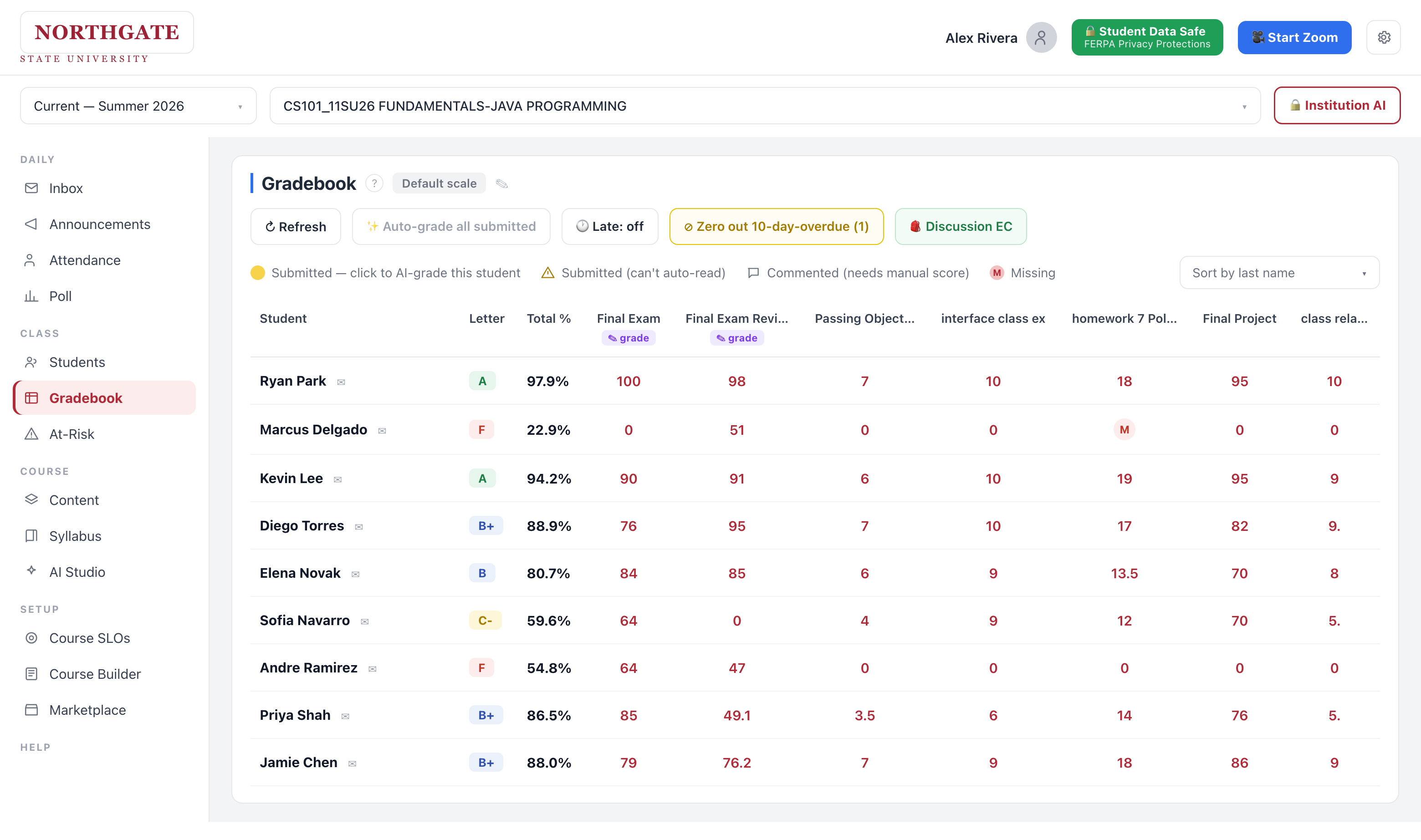
Grade a whole class in one click
Hit AI-grade on a column and every submission is scored at once — results land right in the gradebook, ready for you to review.
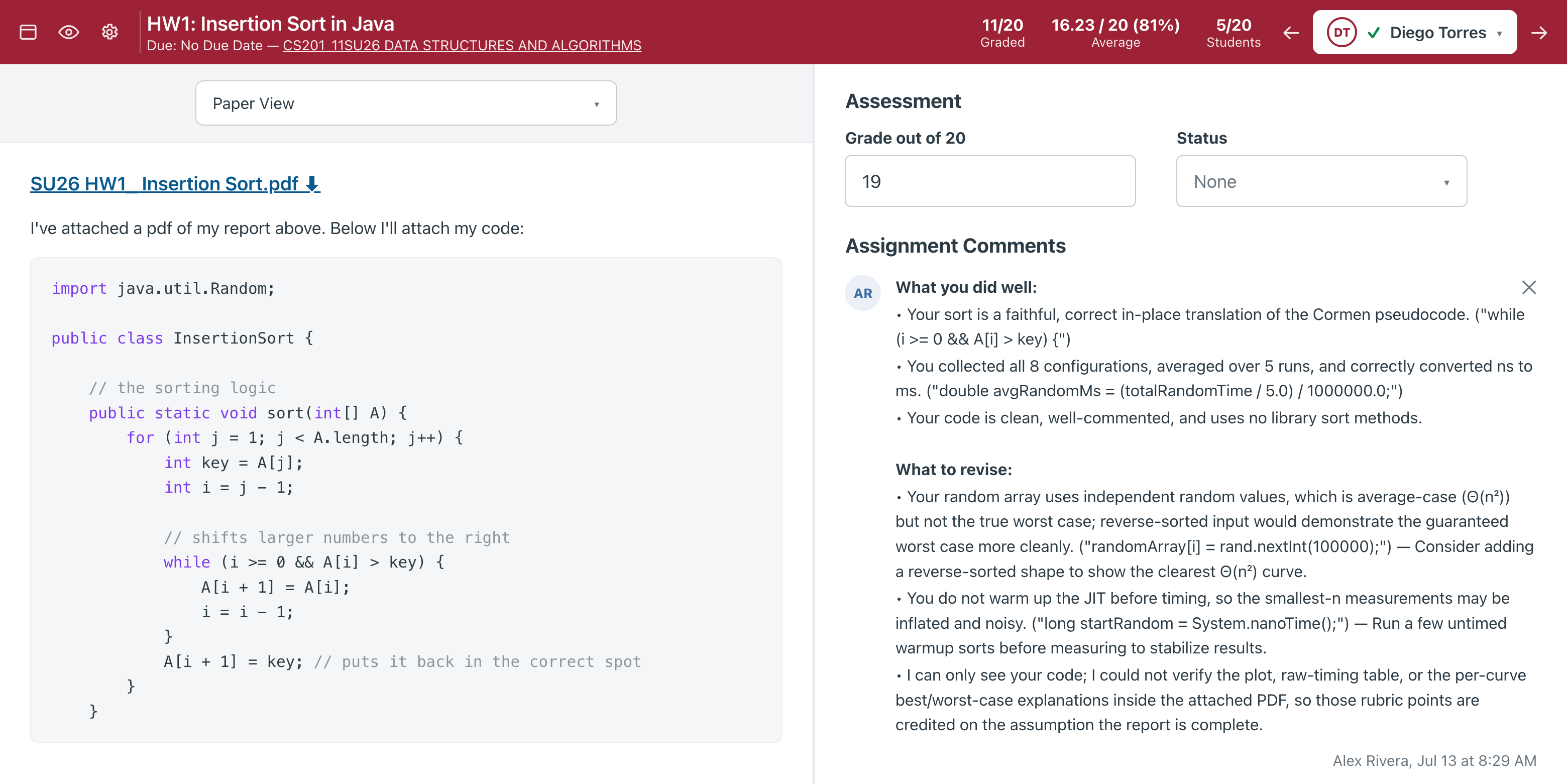
Feedback that reads like you wrote it
Every grade comes with a specific, rubric-aware comment — not just a number. Accept it or edit it in SpeedGrader.
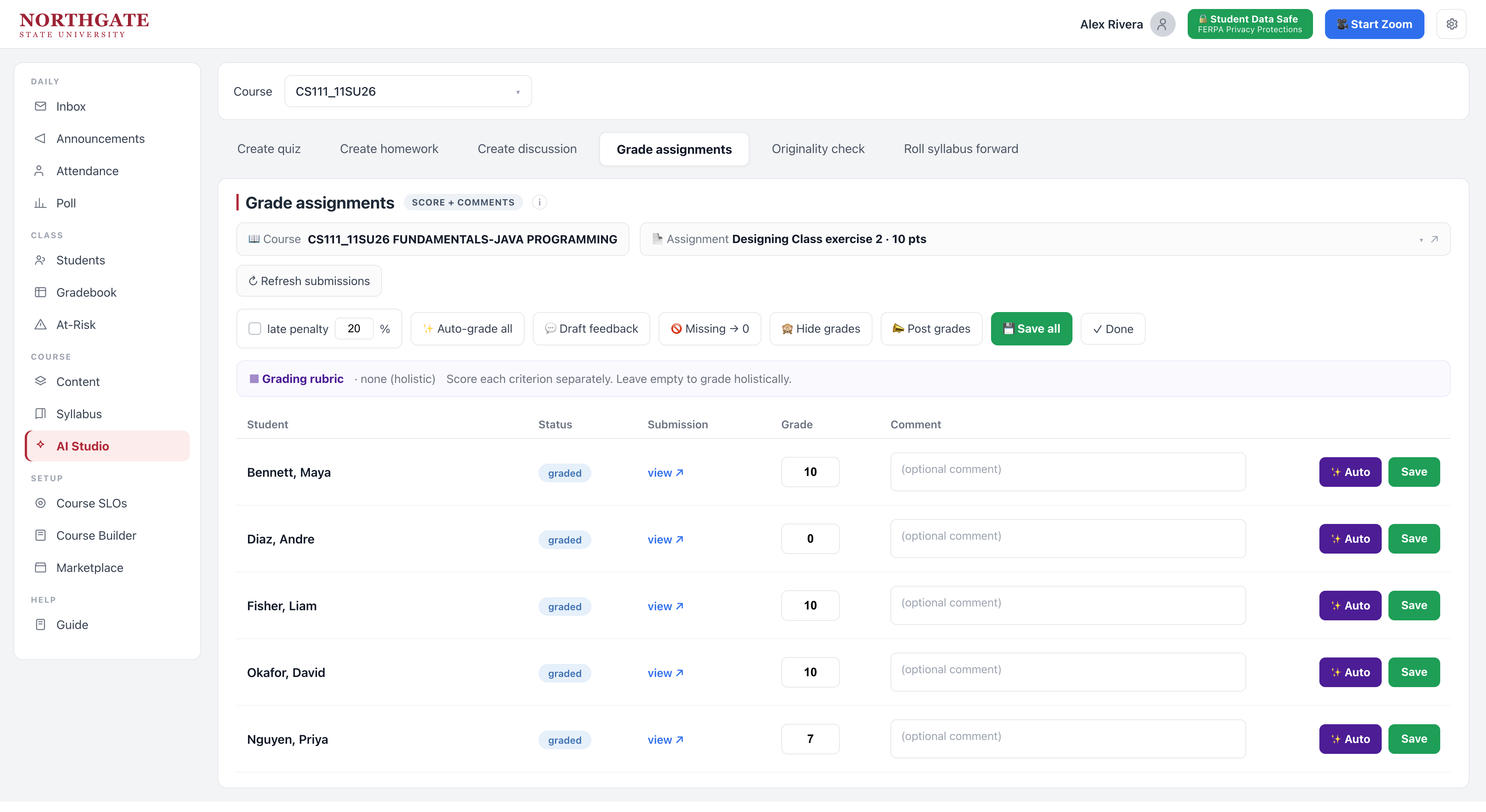
Score a quick exercise, student by student
A fast per-student table — perfect for in-class exercises. Auto-grade one row or the whole class, drop an optional comment, apply late penalties or mark missing as zero, then post grades in one click.
Build courses & assignments
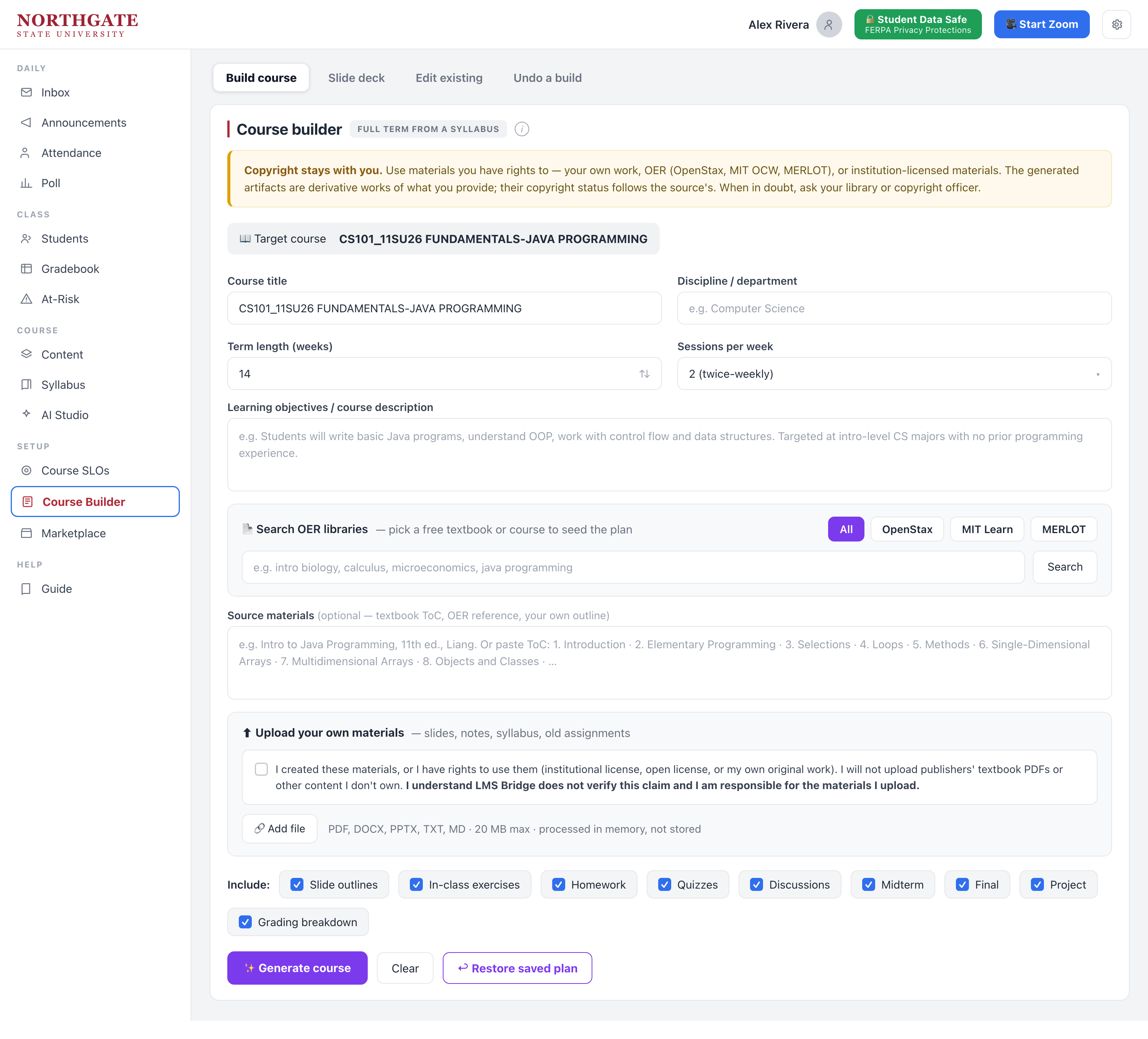
Build a whole term from your syllabus
Drop in a syllabus and LMS Bridge drafts the weeks, assignments and materials — about 20 minutes, not a summer.
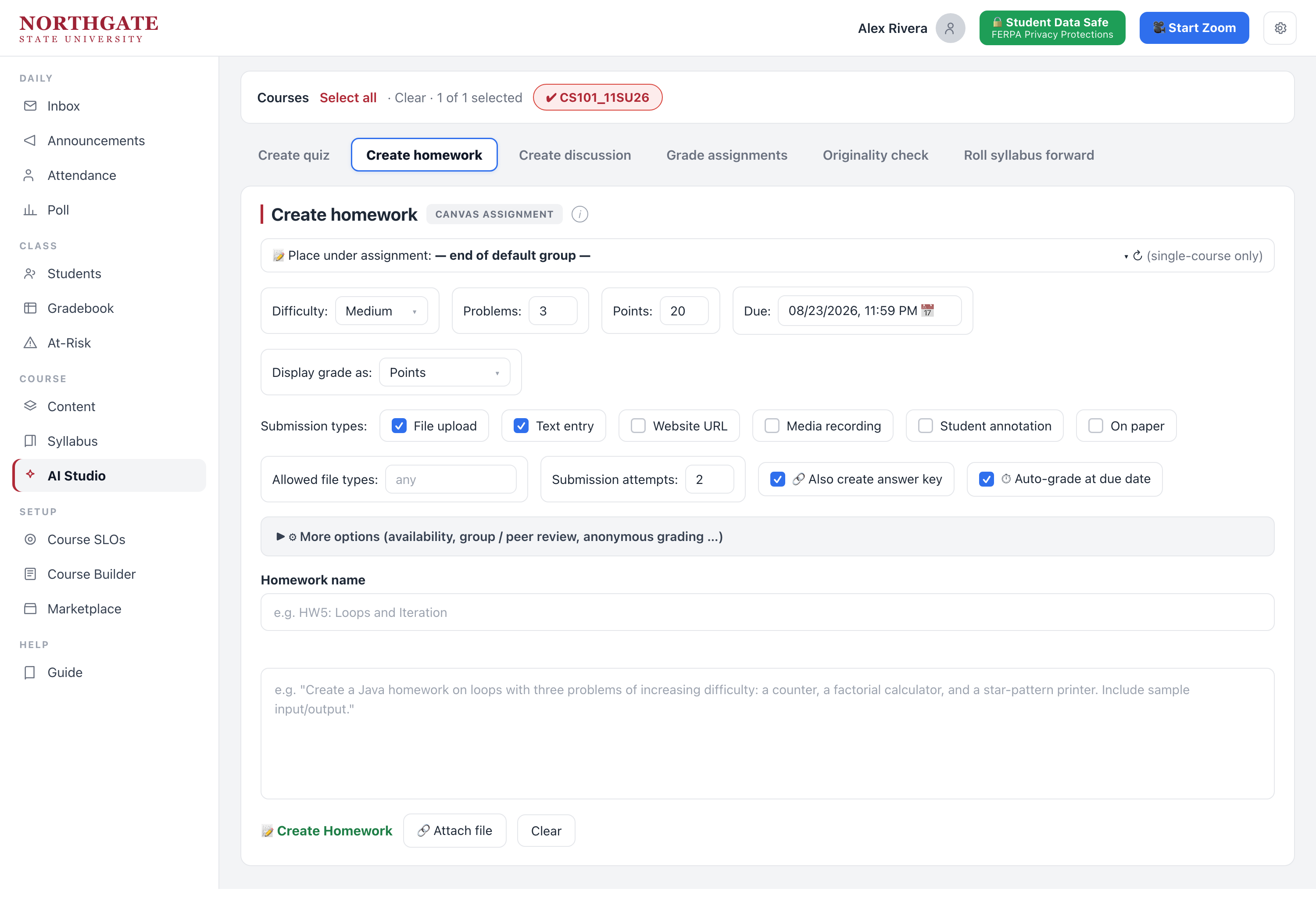
Draft any assignment in seconds
Set difficulty, points and submission type, describe what you want, and get a ready-to-publish assignment.
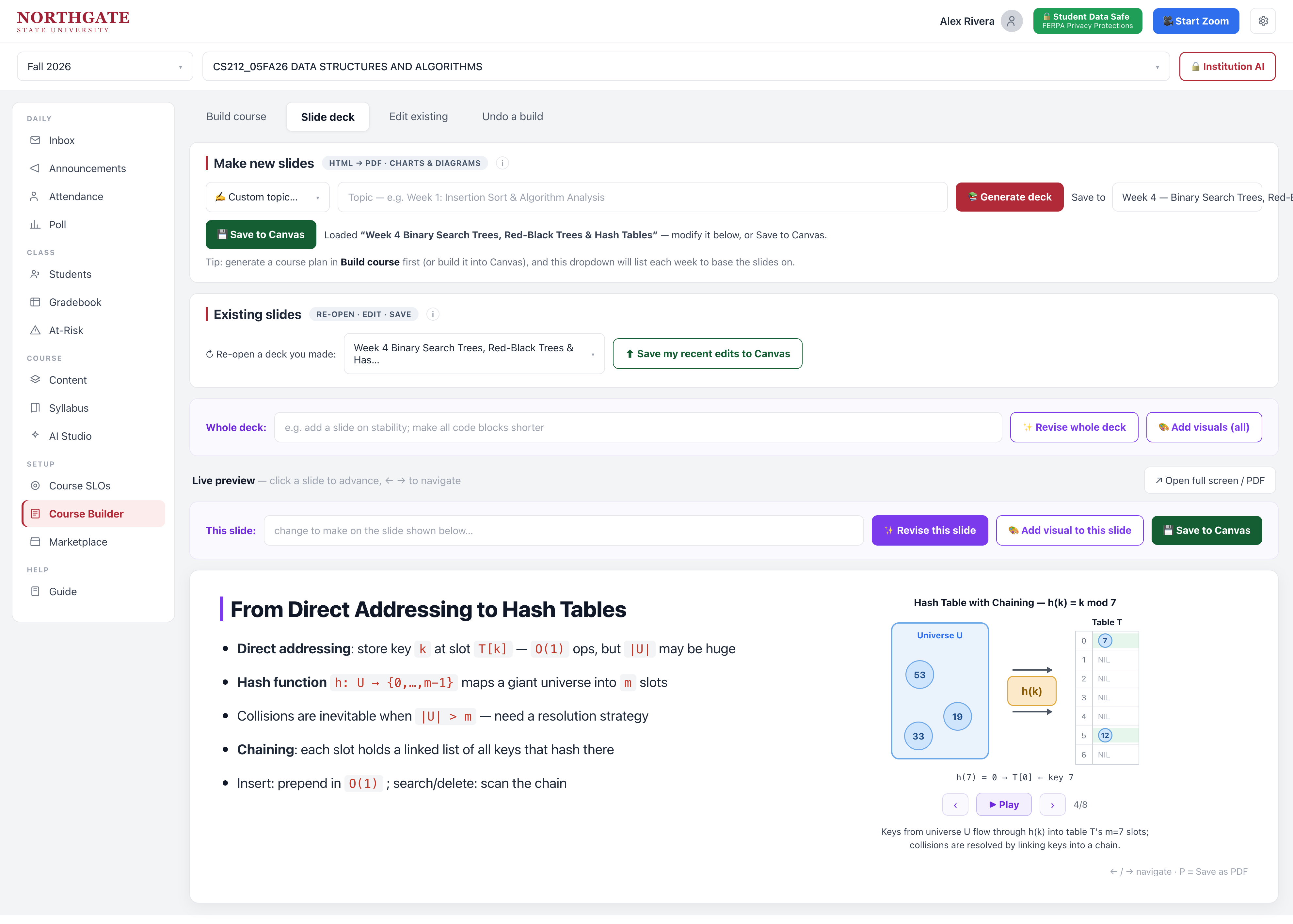
Generate animated lecture slides — that double as self-study
Turn any week into a full slide deck with charts, diagrams and step-by-step animations built in. Revise the whole deck or a single slide in plain English, then save it to your LMS. Because each concept plays out frame by frame, students can re-open the deck and walk through the worked examples on their own — a lecture and a self-study tool in one.
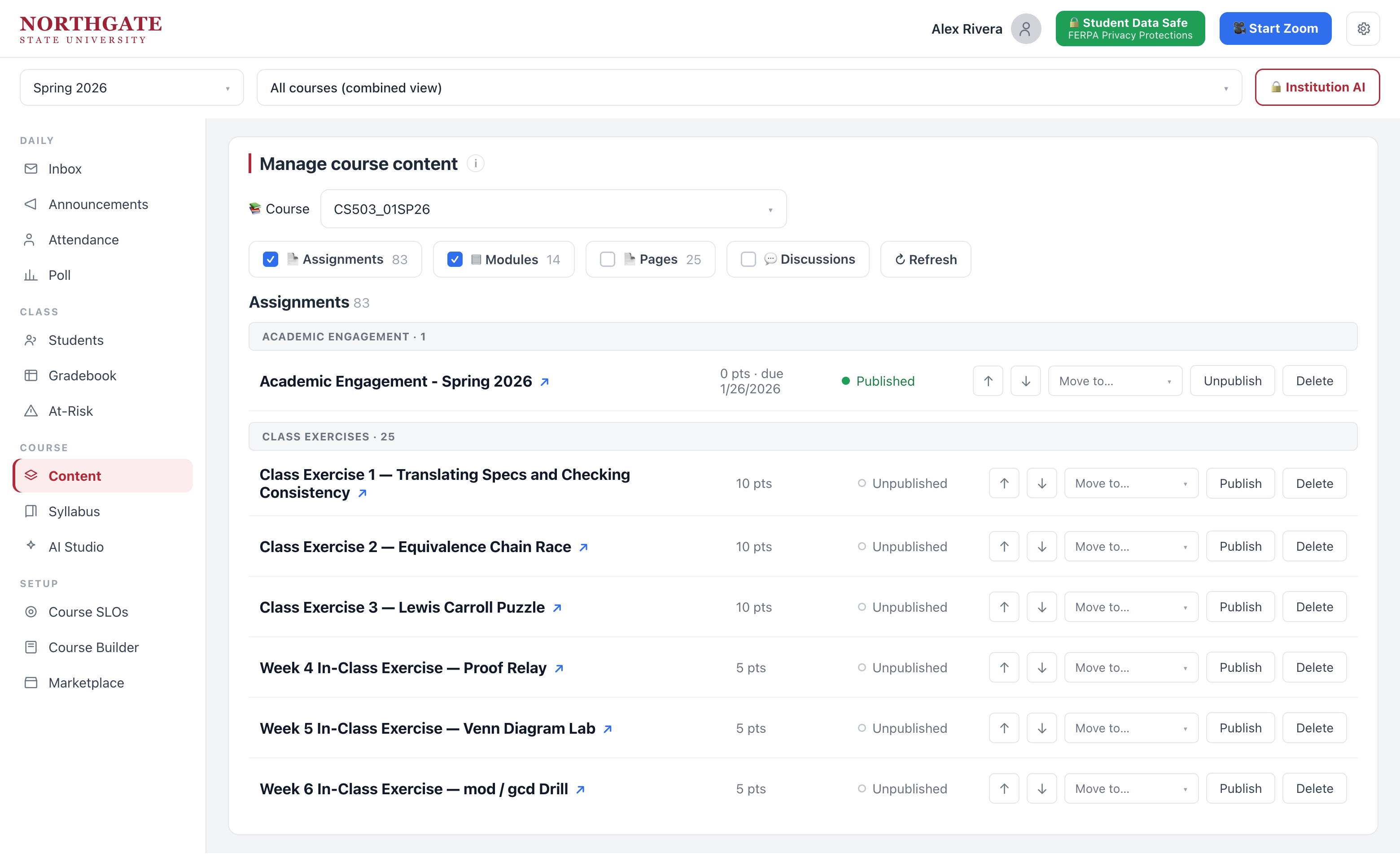
Organize it all before it goes live
Bulk publish, reorder and group assignments and modules by category — from one screen.
It lands in your LMS
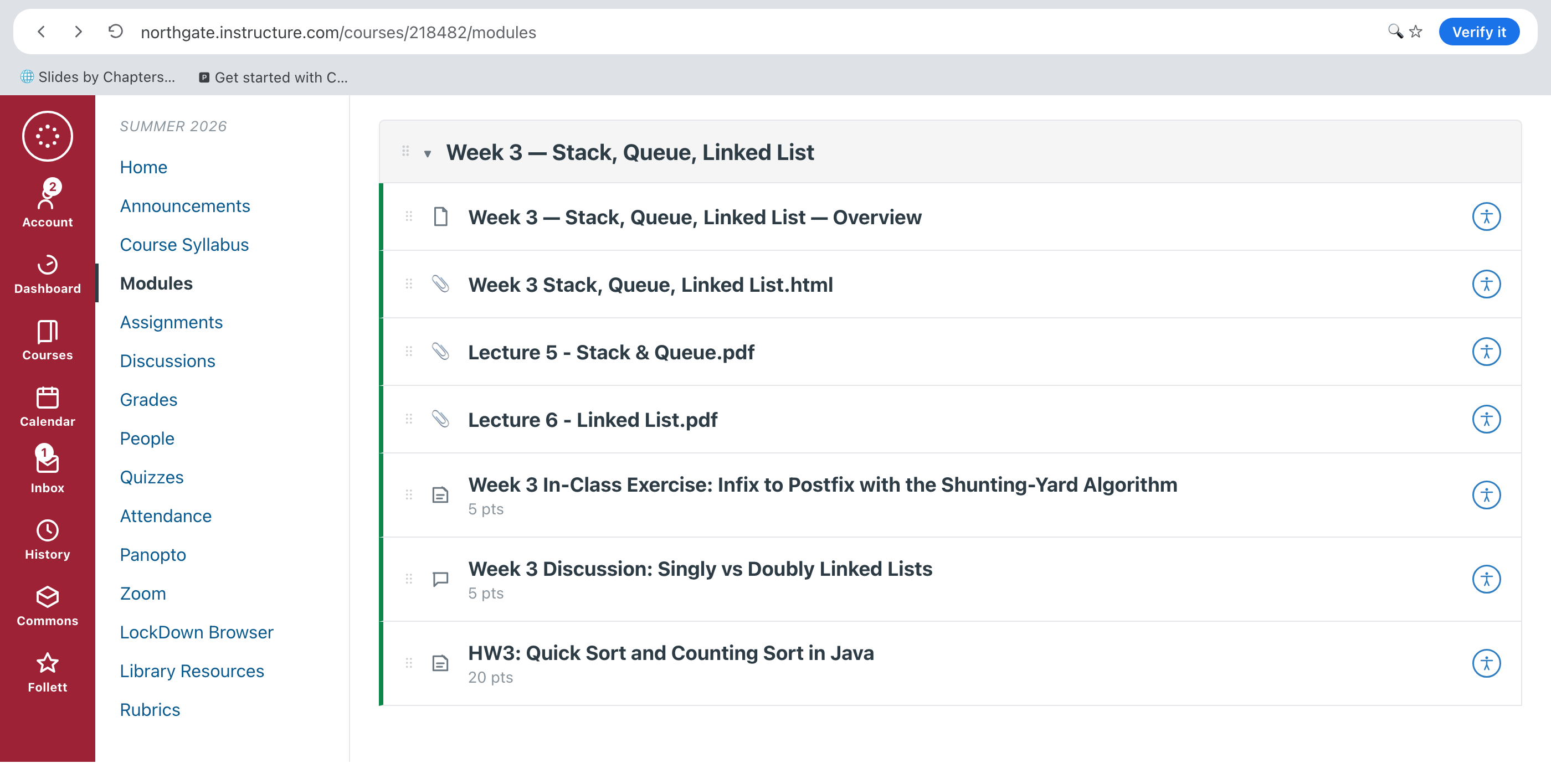
It shows up organized in your LMS
Generated materials arrive as tidy modules in Canvas, Blackboard, Brightspace or Moodle — students just see a normal course.
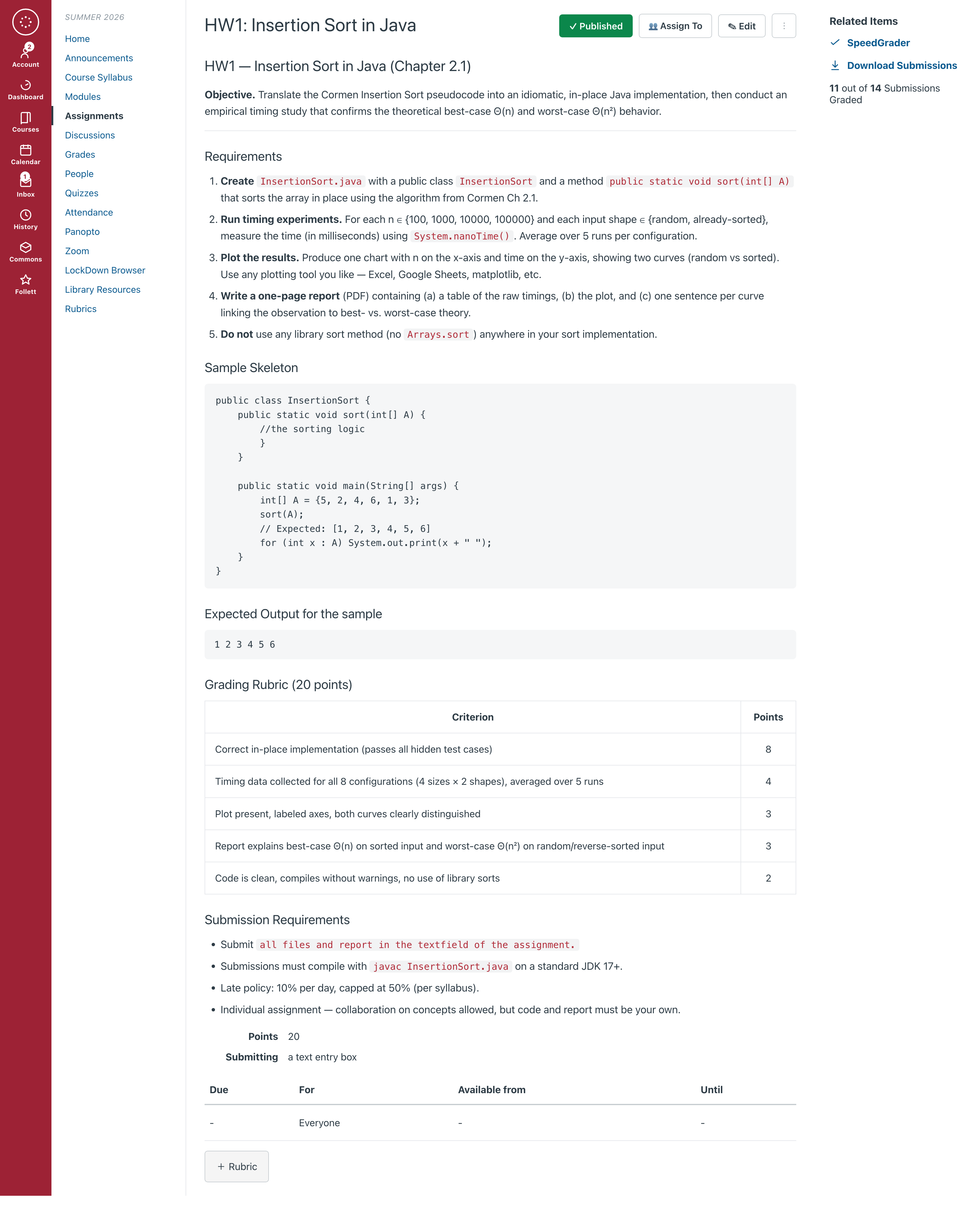
Full assignments, published for you
Objective, requirements, starter code and rubric — all written out and posted in your LMS.
Understand your class
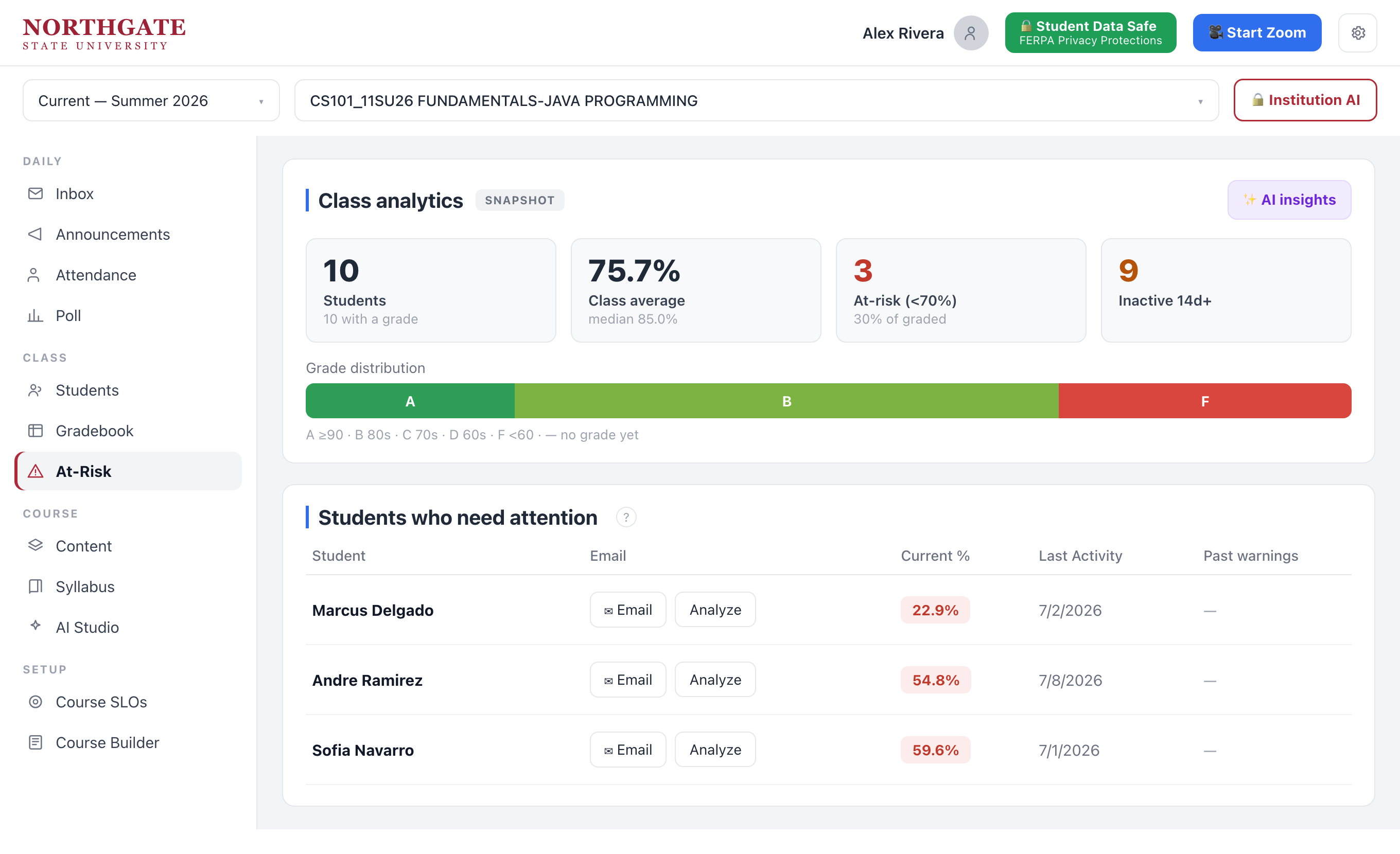
See who's falling behind — early
Grade distribution and a short at-risk list, so you can reach students before the midterm, not after.
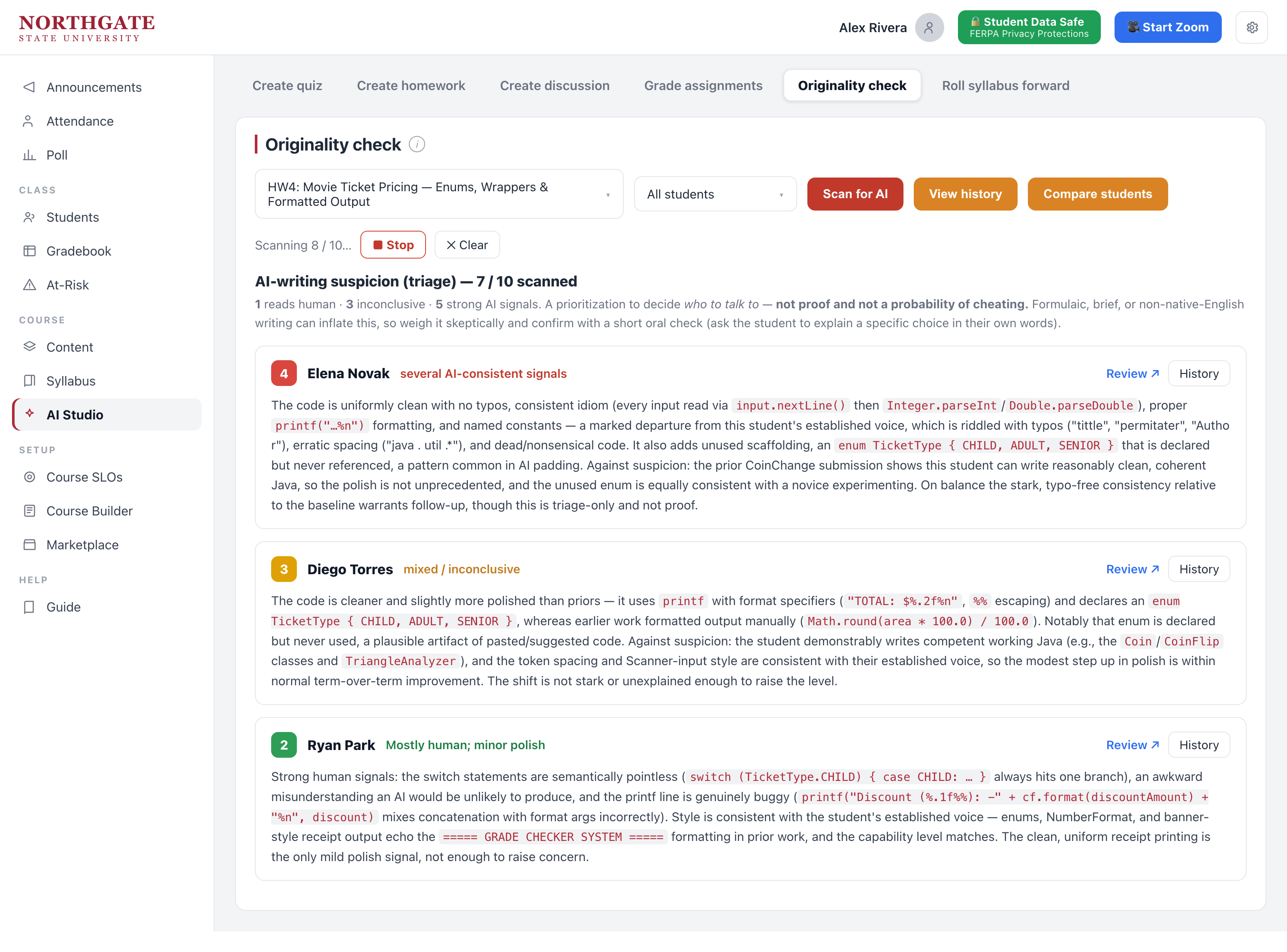
Catch AI-written work, with context
A triage list ranks submissions by suspicion with a short explanation for each — you decide what to do.
Reach every student
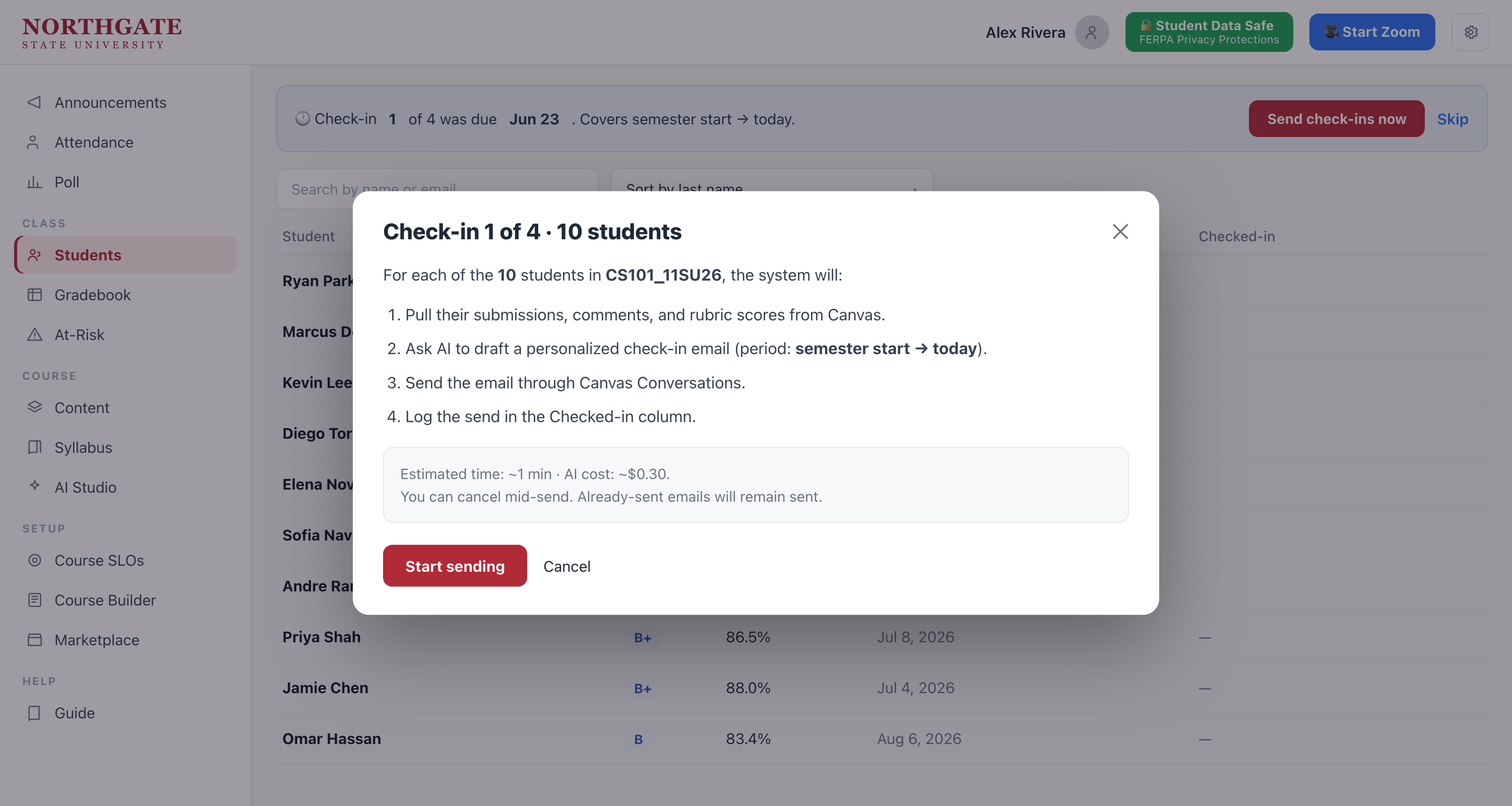
Personal check-ins, sent in bulk
Draft a tailored email to each student who needs a nudge, review them, and send — every send logged.
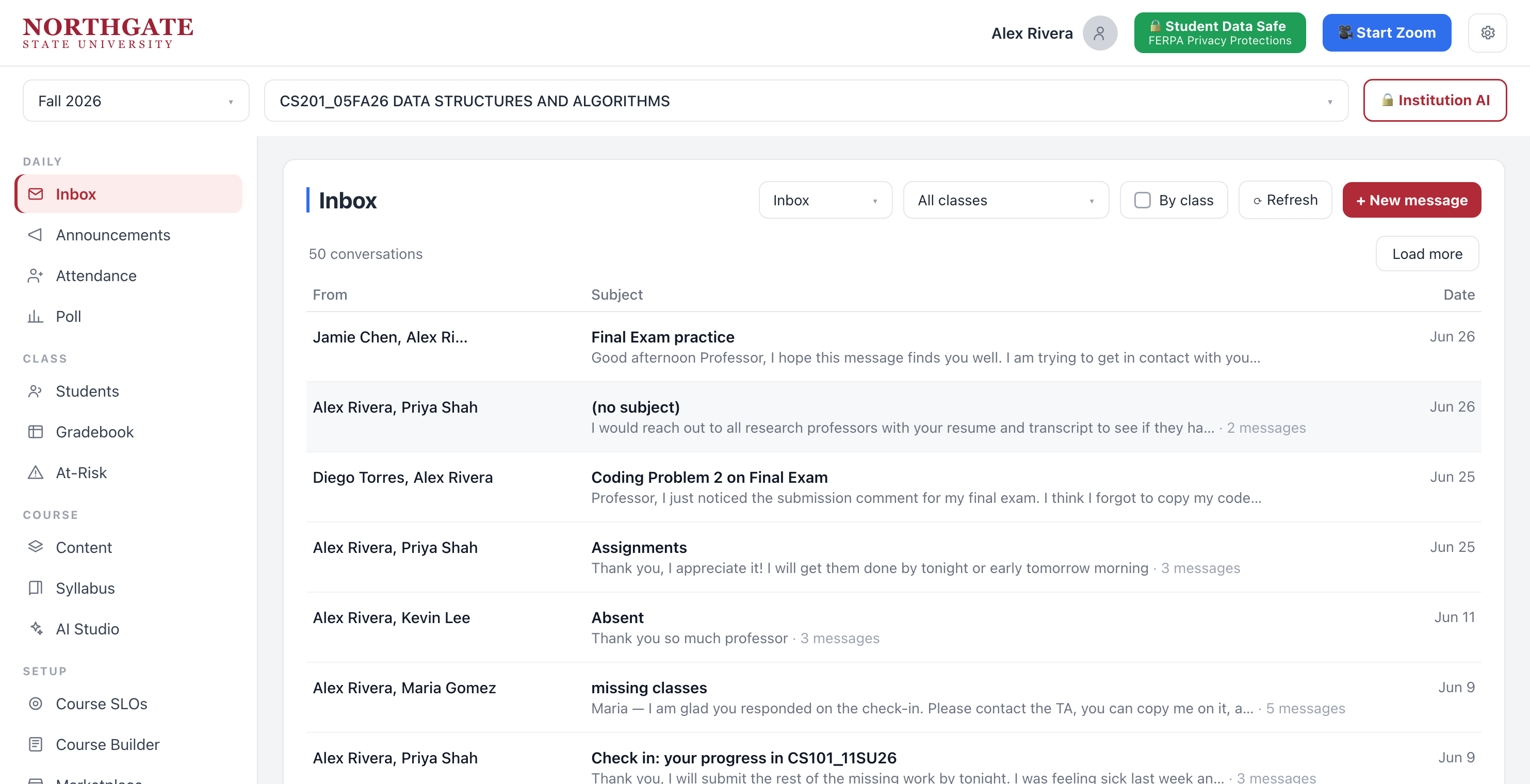
Every class message in one inbox
Filter by class, reply, and keep it FERPA-safe — no digging through separate course inboxes.
Run the class
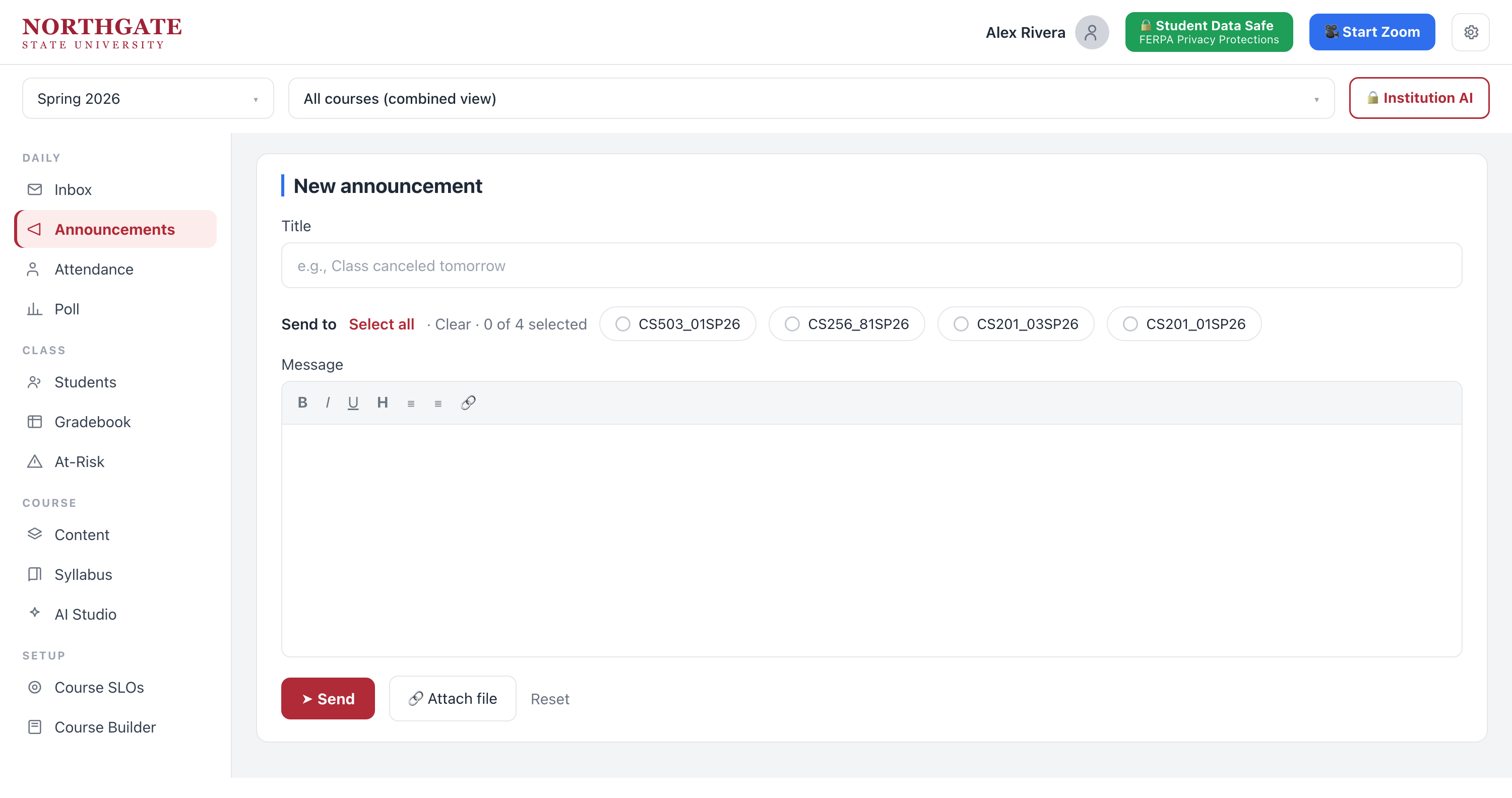
Announce to every section at once
Write once and broadcast to all your classes — no copy-paste across course shells.
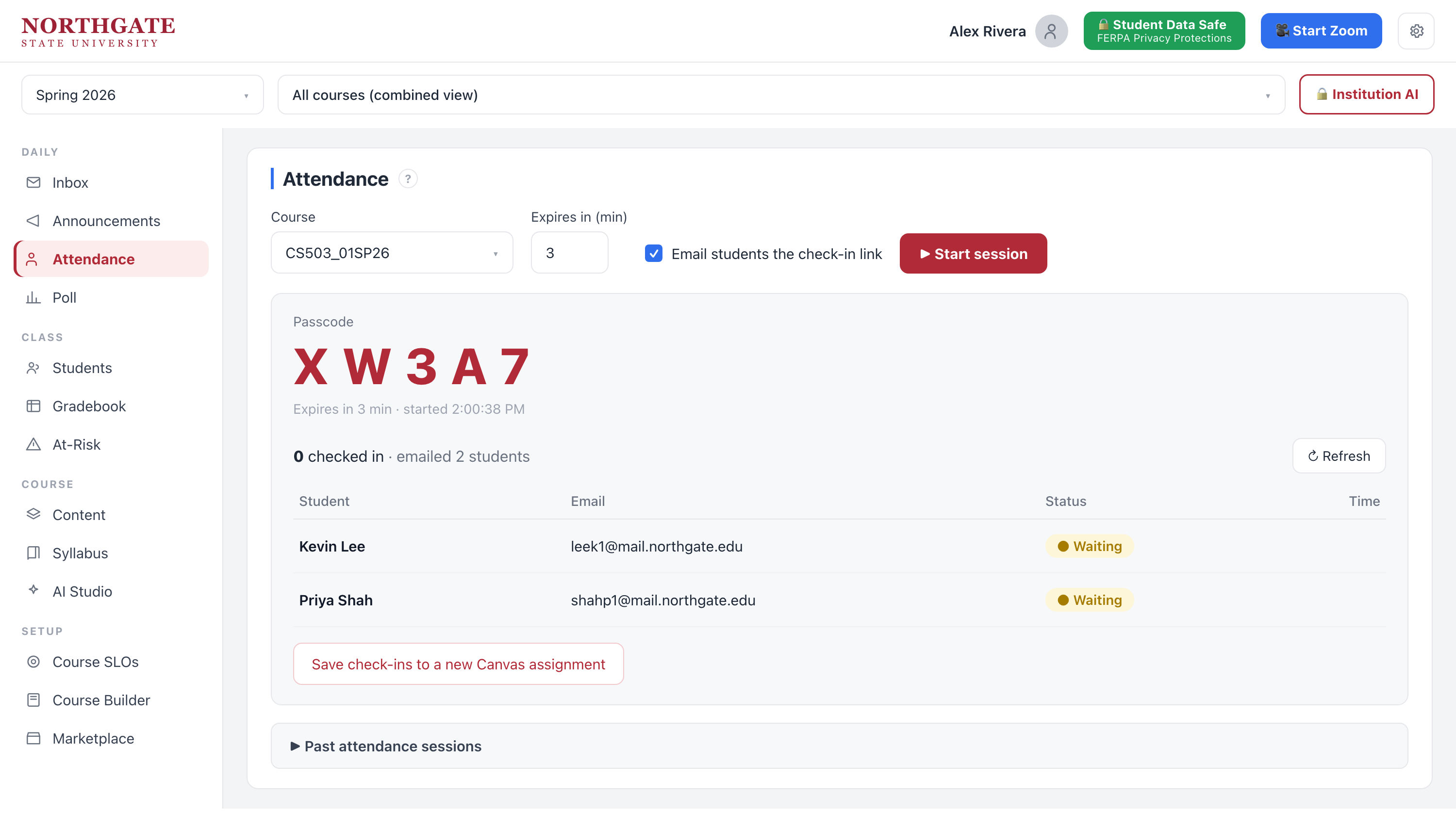
Take attendance in seconds
Start a session with a passcode and an emailed check-in link; presence logs itself.